Snap'd
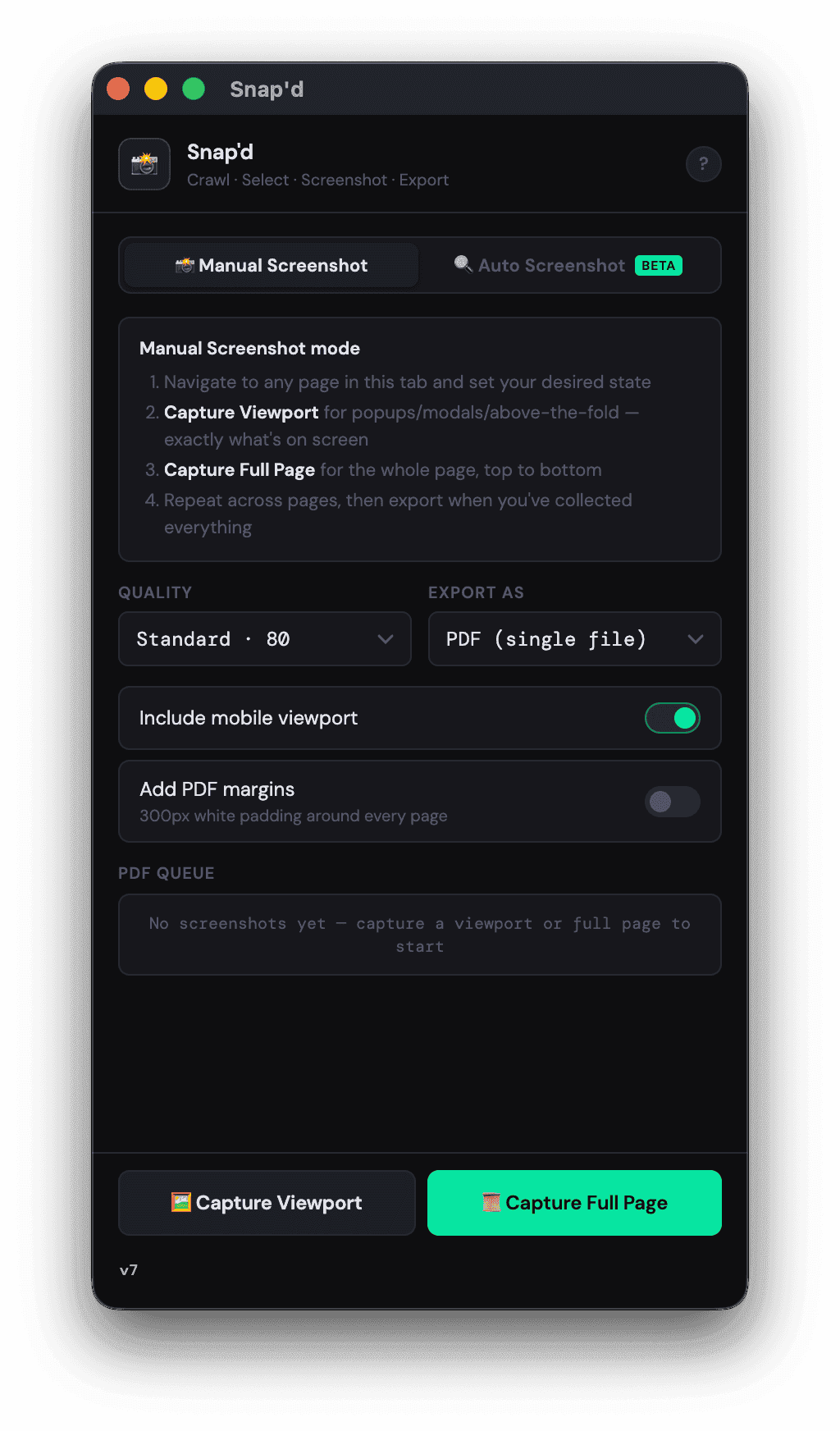
I got tired of a four-hour screenshot job, so I built a tool to do it in minutes.
- Role
- Designer and builder
- Built with
- Claude Code
- Stack
- Vanilla JS, Manifest V3, jsPDF
- Audience
- Website production and review teams
3–4 hrs to minutes
per website review cycle
2
desktop and mobile viewports captured
0
data sent to outside servers
01The problem
Every review cycle meant taking screenshots of page after page, then stitching everything into a PDF by hand.
- Teams needed desktop and mobile captures of entire websites.
- Doing it manually took three to four hours and could be inconsistent.
- Every new review round meant doing it all over again.
02What I did
How I solved it
- 1
Automated the whole job
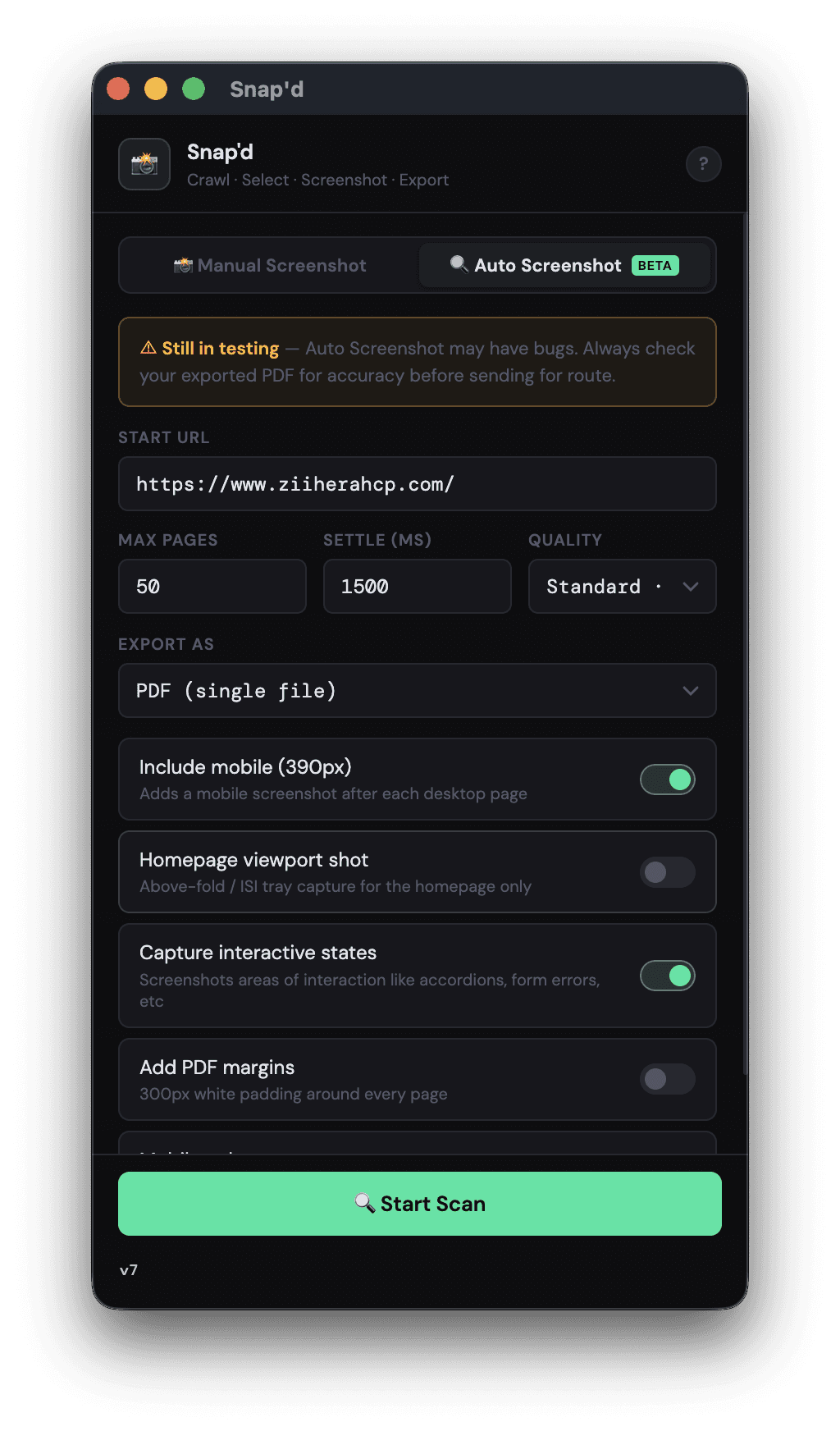
I designed and built Snap'd to discover pages on a website, let users choose which to capture, take desktop (1440px) and mobile (390px) screenshots, and export an organized PDF. It takes a repetitive process and puts it into one workflow.
- 2
Made it work on the websites we actually build
Simple screenshots weren't enough. Snap'd handles lazy-loaded pages, JavaScript-heavy sites, and Salesforce LWR. It also captures interactive states like open accordions, tabs, and form errors.
- 3
Added the little things that save real time
I built a viewport-first mode to document what users see when a page first loads, plus Stop & Export for generating a partial PDF if a run needs to end early. Those details came from knowing what review teams actually need.
03The outcome
What changed
- A job that took 3–4 hours now takes minutes.
- Desktop, mobile, full-page, and interactive states can be captured in one workflow.
- The extension works locally in the browser, without sending site content to an external server.
Read the full storyThe complete write-up, about a 1 minute read
The problem
One of the most frustrating parts of working on large websites is the repetitive production work that everyone gets used to doing.
For my team, one of those jobs was documenting websites for review. We'd capture every page, do it again for mobile, then combine everything into PDFs. On a large site, the process could take three to four hours.
Then we'd make updates and repeat the whole thing in the next review cycle.
I kept thinking this was exactly the kind of work a tool should handle for us.
The approach
I used Claude Code to design and build Snap'd, a Chrome extension that handles site discovery, screenshot capture, and PDF export.
The basic flow is simple: choose a website, select the pages, and run the capture. Snap'd takes desktop and mobile screenshots and puts them into a single document.
Getting it to work on real production sites was the harder part. We work with lazy loading, JavaScript-heavy pages, and components that only appear after someone interacts with them. I built support for those cases, including capturing accordions, tabs, and form error states.
I also added features based on our actual review workflow. Viewport-first capture documents the initial visible screen before the full-page screenshot. Stop & Export lets someone save the work already captured instead of starting over if they need to end a run.
There is no backend sending page content to outside servers. The extension handles the work locally in the browser.
The outcome
Snap'd cut a three-to-four-hour process down to minutes, and all of the features described here have shipped.
It's a small product with a very practical purpose. I knew the problem because I'd been dealing with it myself, so I could design around the annoying details instead of just the ideal workflow.
It's also a good example of how I've been using AI-assisted development to go beyond mockups and build working products.